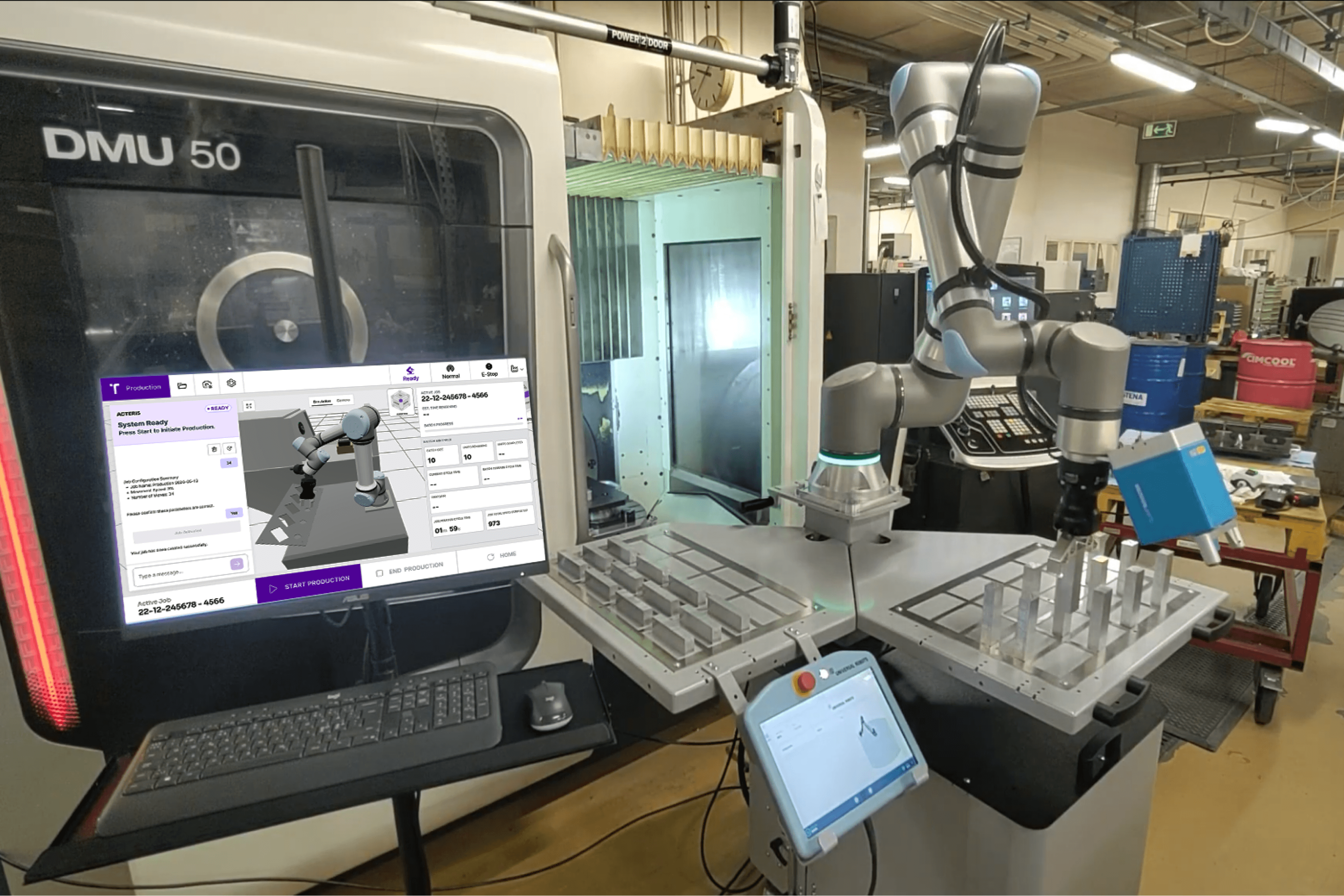
A New Look for Acteris: What Changed and Why It Matters
July 27, 2026
Jeremy Brouillard
,
Product Manager, Platform

When we set out to redesign the Acteris interface, the goal was not to make it look different. The goal was to make it work better for the people who use it every day, operators who need to move fast, integrators who need to deploy reliably, and production teams who need visibility without complexity.
Here is what changed and why it matters.
A New Home Screen Built Around Production
The previous Acteris interface launched directly into the AI agent chat. It worked, but it put conversation first and production visibility second. For operators who are already mid-shift and need to know what is happening right now, that was not the right starting point.
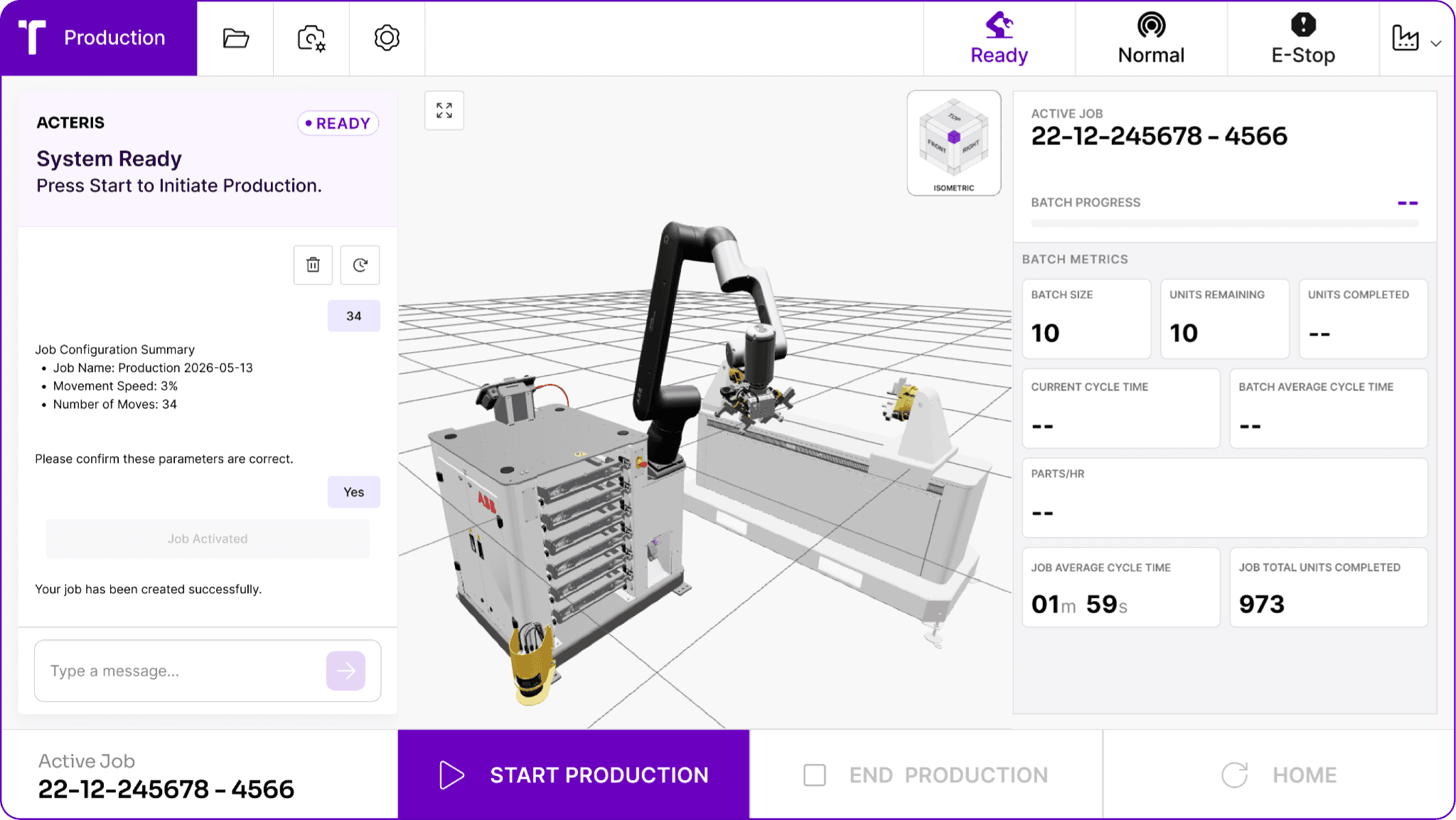
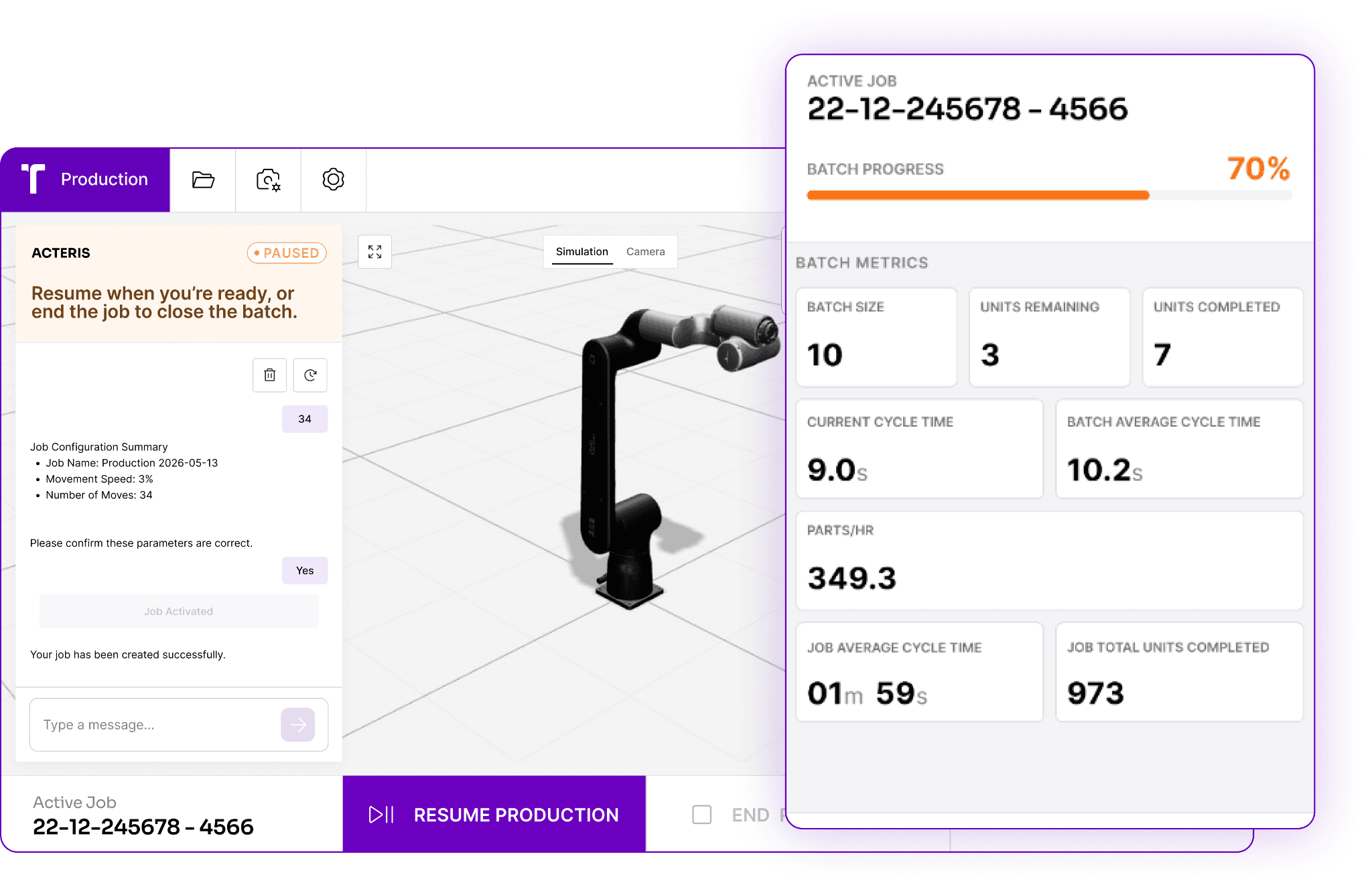
The new home screen flips that priority. The moment you log in, you see your production status. Current job, batch progress, cycle time, machine and robot status, all of it visible at a glance before you have done anything else. The AI agent is still right there when you need it, but it no longer dominates the first thing you see.
The AI Agent as a Co-Pilot, Not the Center of Everything
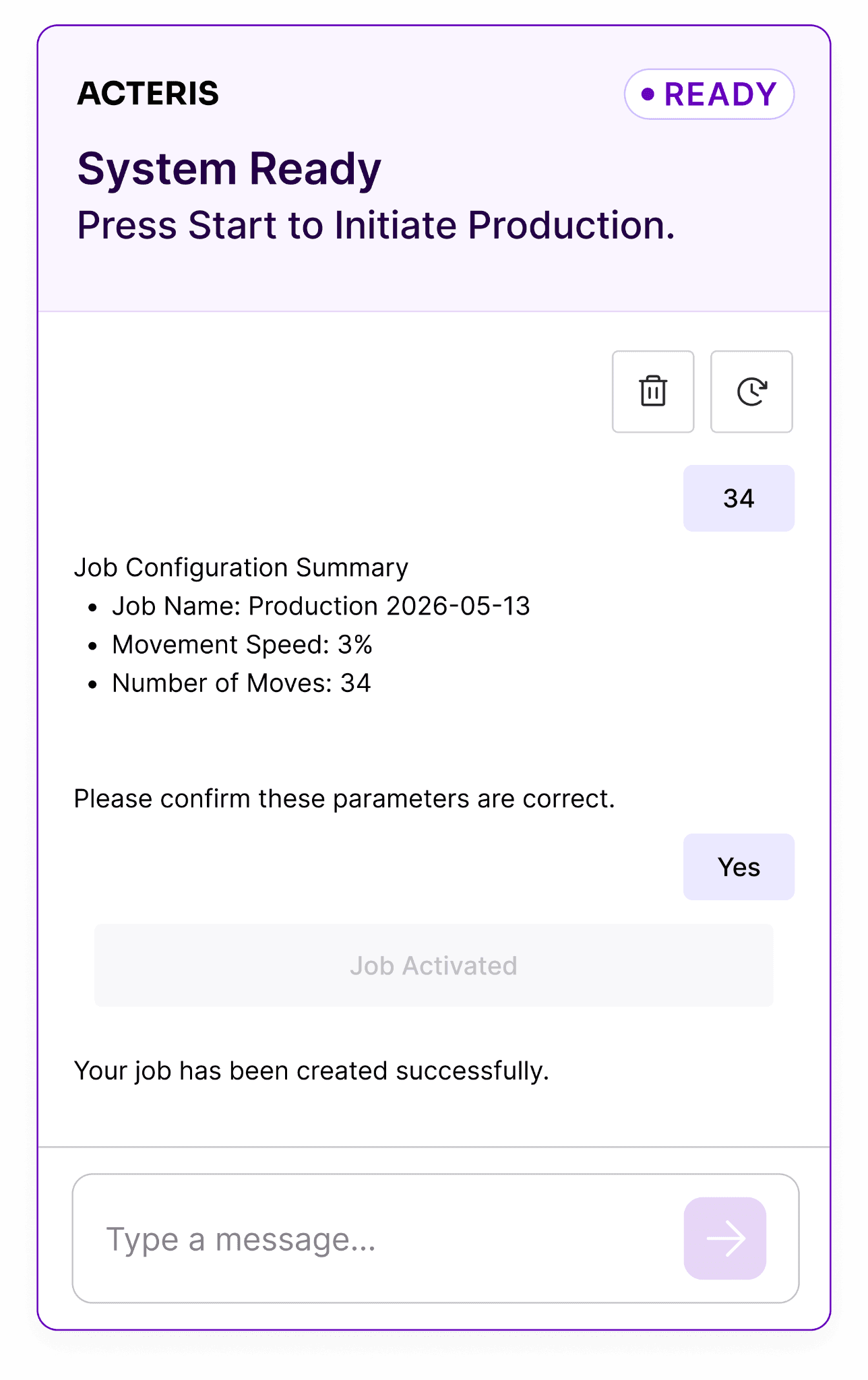
One of the bigger conceptual shifts in this update is how we think about the AI agent. In the previous version, the agent was the primary interface. Everything happened through it. That made sense as a starting point, but as the platform matured we realized the agent works best as a co-pilot, always available, never in the way.
The agent now lives in a persistent panel alongside the production view. Operators can create jobs, ask questions, troubleshoot issues, and get guidance without losing sight of what the robot is doing. It is always there. It just does not demand your attention when you do not need it.
More Control Over How Production Stops
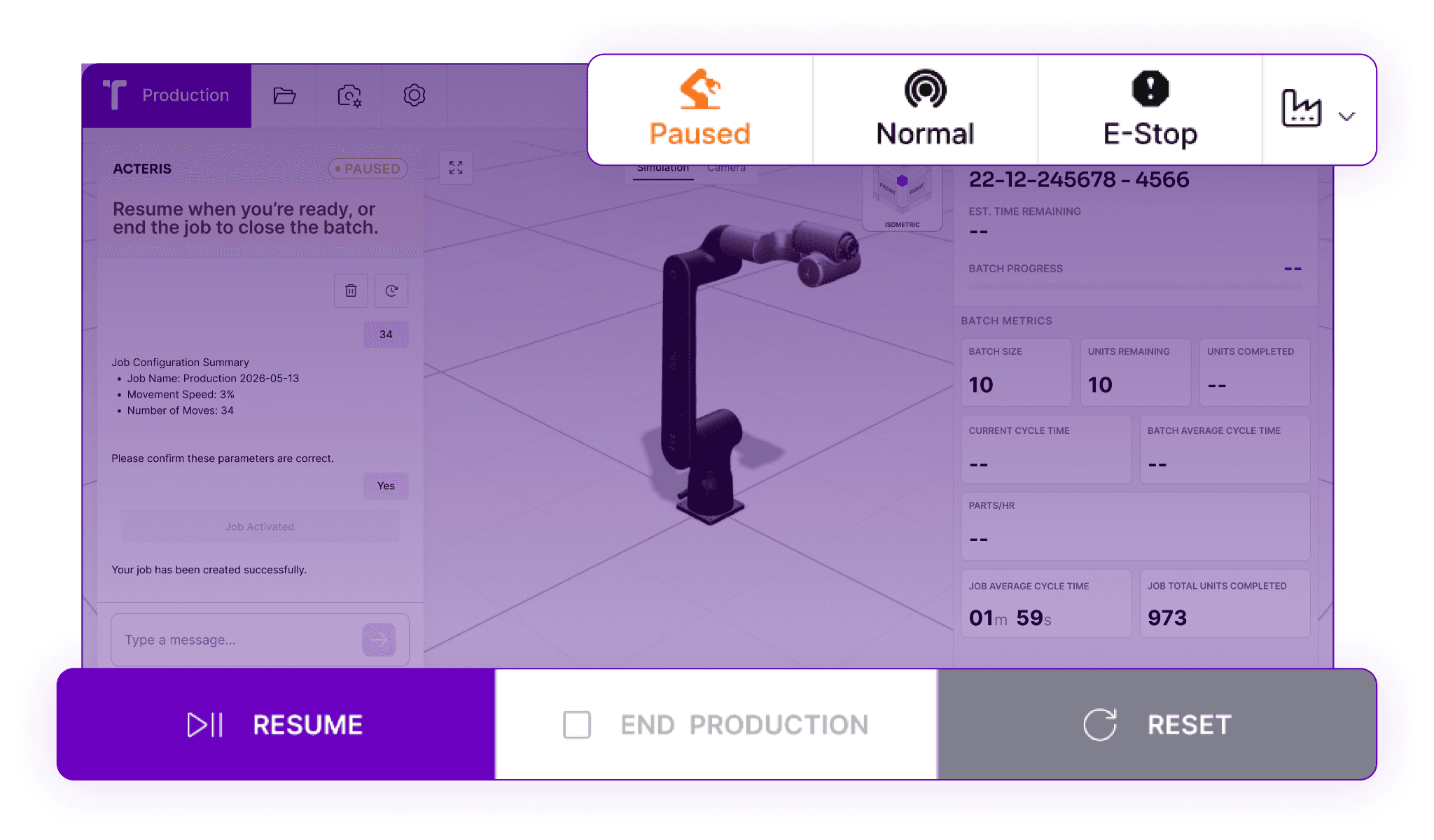
This might sound like a small thing, but it is one of the changes operators notice most. In the previous version, stopping production was essentially binary. You could stop or you could not. What you could not do was choose how it stopped.
The new control flows give operators real options. End production gracefully at the end of the current cycle. Pause immediately and resume from exactly where you left off. Stop immediately with the robot going home autonomously, safely discarding any part currently held so nothing is left in a state that causes problems when production resumes. And for trade show and demonstration scenarios, an infinite loop mode keeps the robot cycling continuously without operator input.
Each of these was designed around a real situation operators actually face. The result is a system that responds to what is happening rather than forcing operators to work around it.
Production Metrics That Are Actually Useful
The previous version surfaced some production data, but it required navigating to find it. The new interface brings the metrics that matter most directly into the main view. Cycle time, batch progress, uptime, robot utilization, infeed and outfeed status. The kind of numbers a shift supervisor actually wants to see without having to dig for them.
Safety and production events are also surfaced in real time, so when something happens, operators know about it immediately rather than discovering it after the fact.
Built to Work in Any Language
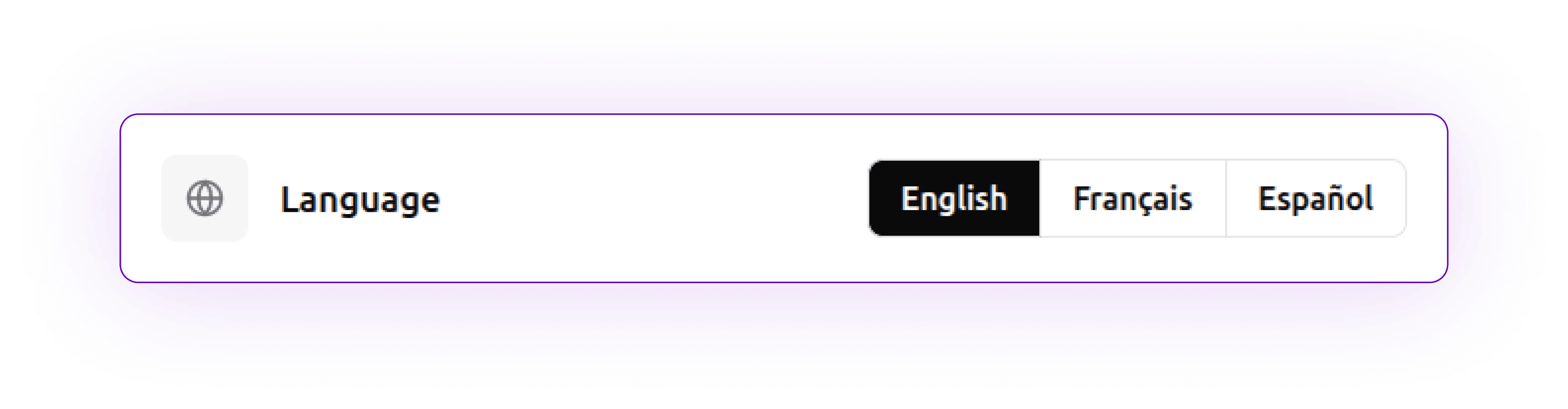
The Acteris AI agent has always been capable of understanding and responding in multiple languages, as you would expect from a modern language model. This update extends that to the broader interface, with full UI translation now available in English, Spanish, and French. For production teams operating across different regions or with multilingual workforces, this removes a real friction point.
A Platform Product Manager's Perspective
I spend a lot of time talking to integrators and operators about what makes automation actually work in production. The consistent theme is that the technology is only as good as the experience of using it. A robot cell that requires a specialist to operate is not a flexible asset. It is a dependency.
Every decision in this update was made with that in mind. The new home screen, the persistent agent panel, the control flow options, the production metrics, all of it is aimed at making Acteris something any operator can run confidently, on any robot brand, from day one.
Acteris runs on ABB, Universal Robots, and FANUC robots, so whether you are deploying on a new cell or retrofitting an existing installation, the interface and experience remain consistent across your entire operation.